frevvo v10.2 is no longer supported. Please visit frevvoLatest for our current Cloud Release. Earlier documentation is available too.
Visual Rule Builder
- Former user (Deleted)
- Megan Ellis
Overview
The Visual Rules Builder enables non-technical designers to add dynamic behaviors to a form/workflow. Here are several behaviors that you can create:
- Show/Hide a Control(s) based on a specified condition
- Show/Hide Steps in a workflow based on the step that the workflow is currently executing
- Dynamically setting default values and control properties such as valid, printable, required and more.
Compute a Subtotal and Total
Populate fields with the logged in user’s information
Concatenate field data
Populate a Date field when the user signs
and much more....

Watch this webinar for an overview of how to create dynamic forms/workflows without writing code.
When Do Rules Execute
Business Rules are executed under the following conditions:
- When the form/workflow loads.
- When a control's value that the rule depends on changes.
- When you add a row to a Table control or click on the
 icon to add a repeating item.
If you want your rule to run Only when the form loads - check the Initialization Only checkbox at the top of the wizard. Typically, you would check this if there is some business logic that you want to execute before the form/workflow displays and users begin interacting with it.

When the rule displays in the Rule Builder tab, it will indicate that the rule has been flagged to run only when the form loads, if this checkbox is checked. 
Rule Builder Wizards
The Rule Builder walks you through three easy steps to define your condition and actions.

Condition Wizard
Describe the conditions under which a set of actions should be executed. You can specify more than one condition in the same rule but you do not need a condition.
Each condition consists of the following:
| Part | Description |
|---|---|
| Field or current step (Optional) | What field or current workflow step do you want to evaluate? |
| Operator | What condition do you want to test to see if it is true? Select to from the choices to use an expression or function in your rule |
| Value (Optional) | What value do you want to compare the Field or current step to? What function/operator do you want to use to build the expression? |
The left side Field and right side Value must be of a matching type. For example, you cannot use numeric expressions with text controls. If you've selected an incompatible value type, Help Mode will show an error to help you correct it.
When you use the VRB "contains" condition on a checkbox control, you must set the literal value to the full, exact option value. On radio and dropdown controls, partial values work, but since the Checkbox value is an array, the rule is looking for the entire option value in the array and cannot find any partial value.
For example, checkbox "C" has options "Option_1", "Option_2", "Option_3". If you use the VRB rule When C contains "1", it always evaluates to false. If you change the condition to When C contains "Option_1" the rule works as expected.
Action Wizard
Declare the actions that should be taken when the condition is true. The Functions/Operators listed above can also be selected as the value in this wizard.
Else Action Wizard
Declare the actions that should be taken when the condition is false. The Functions/Operators listed above can also be selected as the value in this wizard. Else Actions are optional as not all rules require them. You cannot add FALSE actions if you do not have a condition specified in the rule.
Built In Functions
The Visual Rule Builder (VRB) provides the following functions, no code required!

Refer to the Visual Rule Builder chapter or watch this 6-minute video for an overview of how to create dynamic forms/workflows without writing code.
Functions are entered into the Enter an Expression field in the wizards.

This field has two modes:
- Lookup Mode
- Help Mode
Lookup Mode
Lookup mode displays functions and controls from your form/workflow. The functions matching the typed text are displayed first followed by the form/workflow controls.
Lookup Mode is triggered as you enter text in the Value fields of the wizards. 
Help Mode
Help mode shows help text for the function in the dropdown area. The help information includes:
- function syntax
- summary info about the function
- an example
- parameter information.

- Expressions must have the same value type as the control. For example, the functions hour and minute are only available on Time controls. If there is a type discrepancy, the designer will see an error like this:

- DateTime controls are meant to represent a point in time and therefor do not support the functions Year, Month, Day, Hour, or Minute.
- Message controls cannot be used in the expression field, even if they have Save Value checked. To set the value of another control to a message control's value, switch to Rule Code.
Functions Available
The tables below explain each function. When you are using the Visual Rule Builder, you can see the functions' summaries, parameters, and an example of how to use the function as you type in and select the function. In use, function names are followed by parenthesis, which contain the comma-separated parameter(s) of the function. For example, if you want to add two fields using the sum function, enter sum(<controlname1>,<controlname2>). The VRB will guide you to this syntax and let you know if there are any syntax errors. Function names may be entered in any case (case insensitive).
sum(price_1, price_2)
When referencing repeat controls and tables, you only need to use the child control name (i.e. the column control name) in the VRB. frevvo takes care of looping through the repeat/table for you.
User Details Functions
| Function | Summary | Parameters |
|---|---|---|
| userFirstName | Used to retrieve the user's first name for the current user or for a specific userId. Returns the first name string. | userId - The optional userId of the user to get the first name for. This parameter can be any text expression. If not supplied, then this function returns the first name for the current logged in user. |
| userLastName | Used to retrieve the user's last name for the current user or for a specific userId. Returns the last name string. | userId - The optional userId of the user to get the last name for. This parameter can be any text expression. If not supplied, then this function returns the last name for the current logged in user. |
| userFullName | Used to retrieve the user's full name for the current user or for a specific userId. Returns the full name string. | userId - The optional userId of the user to get the full name for. This parameter can be any text expression. If not supplied, then this function returns the full name for the current logged in user. |
| userEmail | Used to retrieve the user's email for the current user or for a specific userId. Returns the email string. | userId - The optional userId of the user to get the email for. This parameter can be any text expression. If not supplied, then this function returns the email for the current logged in user. |
| userID | Used to retrieve the userID for the current user or for a specific userId. Returns the id string. | userId - The optional userId of the user to get the id for (typically not used). This parameter can be any text expression. If not supplied, then this function returns the id for the current logged in user. |
| userManagerID | Used to retrieve the user's manager's user ID for the current user or for a specific userId. Returns the manager user id string. | userId - The optional userId of the user to get the user's manager's user ID for. This parameter can be any text expression. If not supplied, then this function returns the user's manager's user ID for the current logged in user. |
| userDetail | Used retrieve individual information fields for the currently logged in user. These fields can either be one of the standard fields or a custom field configured using the (ldap) security provider. | fieldName - The name of the user information property to retrieve. This parameter can be any text expression. The standard properties are 'id', 'first.name', 'last.name', 'email' and 'reports.to'. |
Text and Boolean Functions
| Function | Summary | Parameters |
|---|---|---|
| isFilled | Used to determine if a field (control) has a value. Returns true if the field has a value. | fieldName - The field/control to check for a value. |
| isEmpty | Used to determine if a field (control) does NOT have a value (i.e. it is not filled). Returns true if the field has no value. | fieldName - The field/control to be checked for no value. |
| textStartsWith | Tests if this string starts with the specified prefix. Returns true if the prefix parameter is a prefix of the str parameter; false otherwise. |
|
| textEndsWith | Tests if this string ends with the specified suffix. Returns true if the suffix parameter is a suffix of the str parameter; false otherwise. |
|
| textContains | Returns true if and only if str contains the specified tokenStr. |
|
| textBefore | Gets the substring before the first occurrence of a separator. The separator is not returned. textBefore('tim@example.com', '@') = 'tim'. |
|
| textAfter | Gets the substring after the first occurrence of a separator. The separator is not returned. textAfter('tim@example.com', '@') = 'example.com'. |
|
| textBetween | Gets the String that is nested in between two Strings. Only the first match is returned. The open and close strings are not included. textBetween('tim@example.com', '@', '.com') = 'example'. |
|
| concat | Returns the text concatenation of a set of expressions. |
|
Math and Numeric Functions
| Function | Summary | Parameters |
|---|---|---|
| sum | Returns the sum of a set of numerical items represented by the input parameters. Parameters are expressions that may contain repeating and/or non-repeating controls. |
|
| average | Returns the average of a set of numeric expressions. |
|
| minimum | Returns the minimum value of a set of numerical items represented by the input parameters. Parameters are expressions that may contain repeating and/or non-repeating controls. |
|
| maximum | Returns the maximum value of a set of numerical items represented by the input parameters. Parameters are expressions that may contain repeating and/or non-repeating controls. |
|
| count | Returns the count of items in a control, typically a repeating control, but will accept non-repeating controls. |
|
| sumif | Returns the sum of a set of numerical items in a repeating control. Takes a boolean filter expression parameter used to determine if each repeating item is included in the calculation. |
|
| averageif | Returns the average of a repeating control's values. Takes a boolean filter expression parameter used to determine if each repeating item is included in the calculation. |
|
| minimumif | Returns the minimum value of a set of numerical items in a repeating control. Takes a boolean filter expression parameter used to determine if each repeating item is included in the calculation. |
|
| maximumif | Returns the maximum value of a set of numerical items in a repeating control. Takes a boolean filter expression parameter used to determine if each repeating item is included in the calculation. |
|
| countif | Returns the count of items/values in a repeating control. Takes a boolean filter expression parameter used to determine if each repeating item is included in the calculation. |
|
| round | Rounds a numeric value to the specified number of decimal digits using a "round half up" policy. The rounded value is returned. |
|
| truncate | Truncates a decimal number to be an integer. | num - The number that gets truncated to an integer. |
Date/Time Functions
| Function | Summary | Parameters |
|---|---|---|
| today | Used to get the current date. | N/A |
| date | Used to create a date object. |
|
| time | Used to create a time of day object. |
|
| timeofday | Used to get the current local time of day (hour and minute). | N/A |
| datetime | Used to create a dateTime object. |
|
| now | Used to get the current date and time. | N/A |
| year | Used to get the year from a date or dateTime object or control. | date - The date or datetime to get the year from. |
| month | Used to get the month (1-12) from a date or dateTime object or control. | date - The date or datetime to get the month from. |
| day | Used to get the day of the month (1-31) from a date or dateTime object or control. | date - The date or datetime to get the day from. |
| hour | Used to get the hour from a time object or control. | time - The time to get the hour from. |
| minute | Used to get the minute from a time object or control. | time - The time to get the minute from. |
| daysBetween | Used to get the number of days between date1 and date2. If date1 is earlier that date2, then the result is 0 or positive; otherwise 0 or negative. |
|
| monthsBetween | Used to get the number of months between date1 and date2. If date1 is earlier that date2, then the result is 0 or positive; otherwise 0 or negative. |
|
| yearsBetween | Used to get the number of years between date1 and date2. If date1 is earlier that date2, then the result is 0 or positive; otherwise 0 or negative. |
|
Operators
Use the Operators listed below to build the rule expression.
| Operator | Name | Purpose | Example |
|---|---|---|---|
| + | Addition | Add two numeric sub-expressions | a + b |
| - | Subtraction | Subtract two numeric sub-expressions | a - b |
| * | Multiplication | Multiply two numeric sub-expressions | a * b |
| / | Division | Divide two numeric sub-expressions | a / b |
| + | Concatenation | Concatenate two text sub-expressions (Javascript only - for VRB use concat() function) | firstName + " " + lastName |
| and | Logical AND | Logically AND two boolean sub-expressions | isRetired AND isCollecting SS |
| or | Logical OR | Logically OR two boolean sub-expressions | isOnVacation OR isOnSickLeave |
| == | Equality | Compare two sub-expressions for equality | a == b |
| != | Inequality | Compare two sub-expressions for inequality | a != b |
| > | Greater than | Compare two sub-expressions for greater than | a > b |
| >= | Greater than or equal | Compare two sub-expressions for greater than or equal | a >= b |
| < | Less than | Compare two sub-expressions for less than | a < b |
| <= | Less than or equal | Compare two sub-expressions for less than or equal | a <= b |
In versions prior to v9.1, the '+' operator was used for both addition and concatenation. With the v9.1 upgrade, any '+' operators used for concatenation will be automatically updated to use the concat() function. Designers should use the concat() function for concatenation of text strings, and the '+' operator only for addition of numeric values. Using the '+' operator for concatenation will return an error prompting the designer to use concat() instead.
Rules can still be written by manually adding JavaScript in order to build any degree of complex & powerful business logic and integrate with all of your Web Services and frevvo connectors.
Add A Rule
- Click the Run Builder button.
- Click the Add Condition button to create a new condition (optional).
- Select your Field or select current step to describe an action that will execute based on the workflow step currently executing.
- Select the Action from the dropdown.
Select the Value, expression or function(optional). To enter a text value, slide the
 toggle switch icon to the right and a field displays to the right.
If current step is selected as the condition for a workflow designed using Linked Steps, the value dropdown displays the names of the linked steps as choices. Workflows designed with individual forms as steps (not linked) will only show that step in the current step value dropdown.
For example,
- If you have one form (named form A) in a workflow, you will only see form A listed in the current step value dropdown,
- If you add 2 linked steps (named form B and form C), the current step value dropdown lists all 3 steps: form A, form B and form C.
- If you add form D (not linked) to the workflow, form D will not be listed in the current step value dropdown for form A
- Click Next to advance to the Action wizard.
- Specify the actions to be taken if the condition is true.
- Click Next to advance to the Else Action wizard
- Specify the actions to be taken if the condition is false.
- Click Finish.
- Save your form/workflow.
- Click the Save and Test icon
 to verify that your rule is working as expected.

Modify a Rule
Once completed, the entire rule can be viewed in the Rule Builder tab.
- Click the
 pencil icon on whatever part of the rule you want to modify.
 - Click the up and down arrows on the right side to change the order of conditions and actions.


Delete a Rule
Click the action menu for the rule you want to delete and select  Delete. You will be asked to confirm.

Reorder Rules
It's easy to change the order of your rules. You may want to group your rules by workflow step, action or control type. Simply click and hold any rule, and drag it to the place in the list you want to move it. You may also use the "Move down," "Move Up," "Move Top," and "Move bottom" options in the rule's Action Menu.

Copy Rule Code
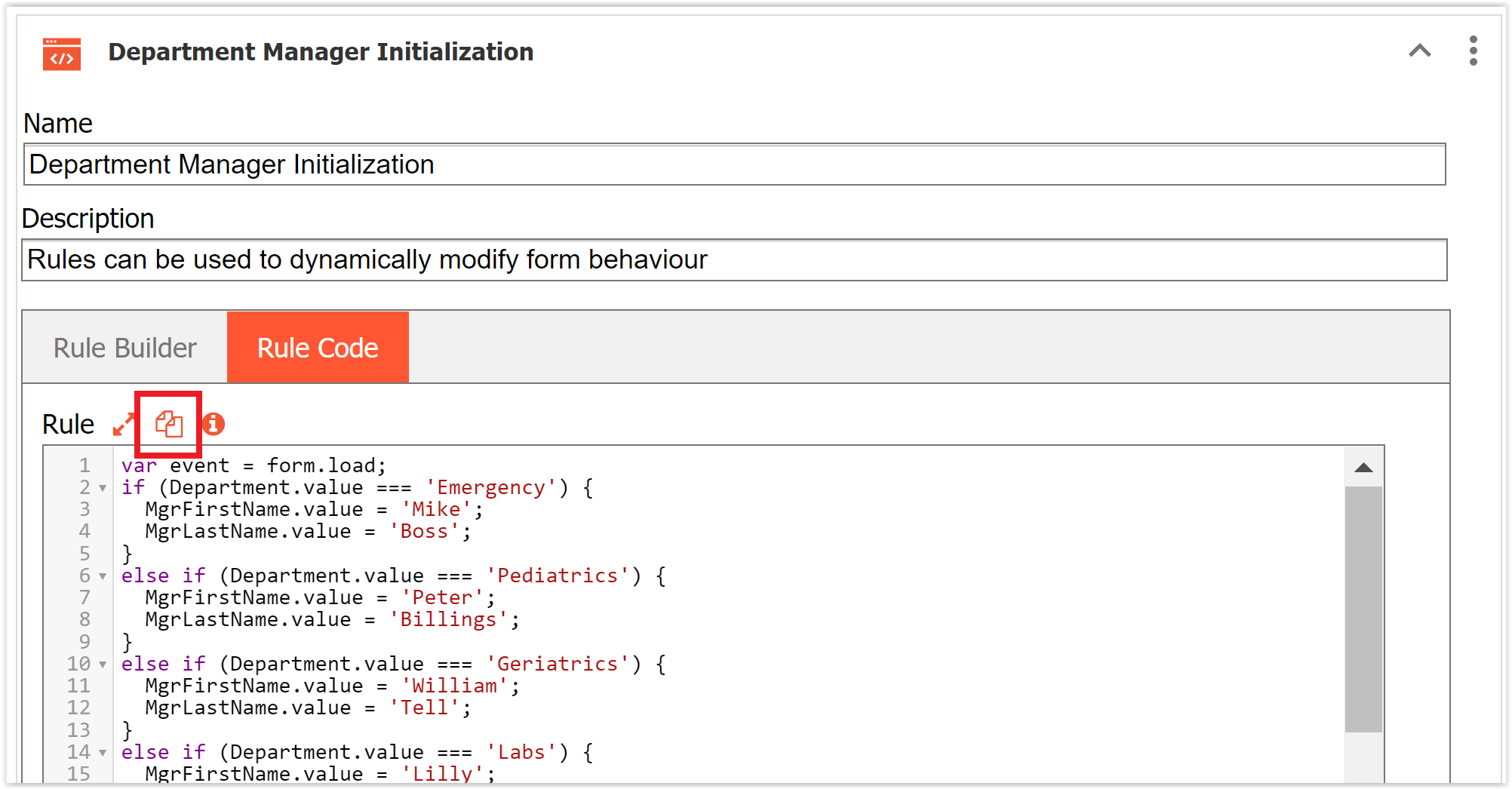
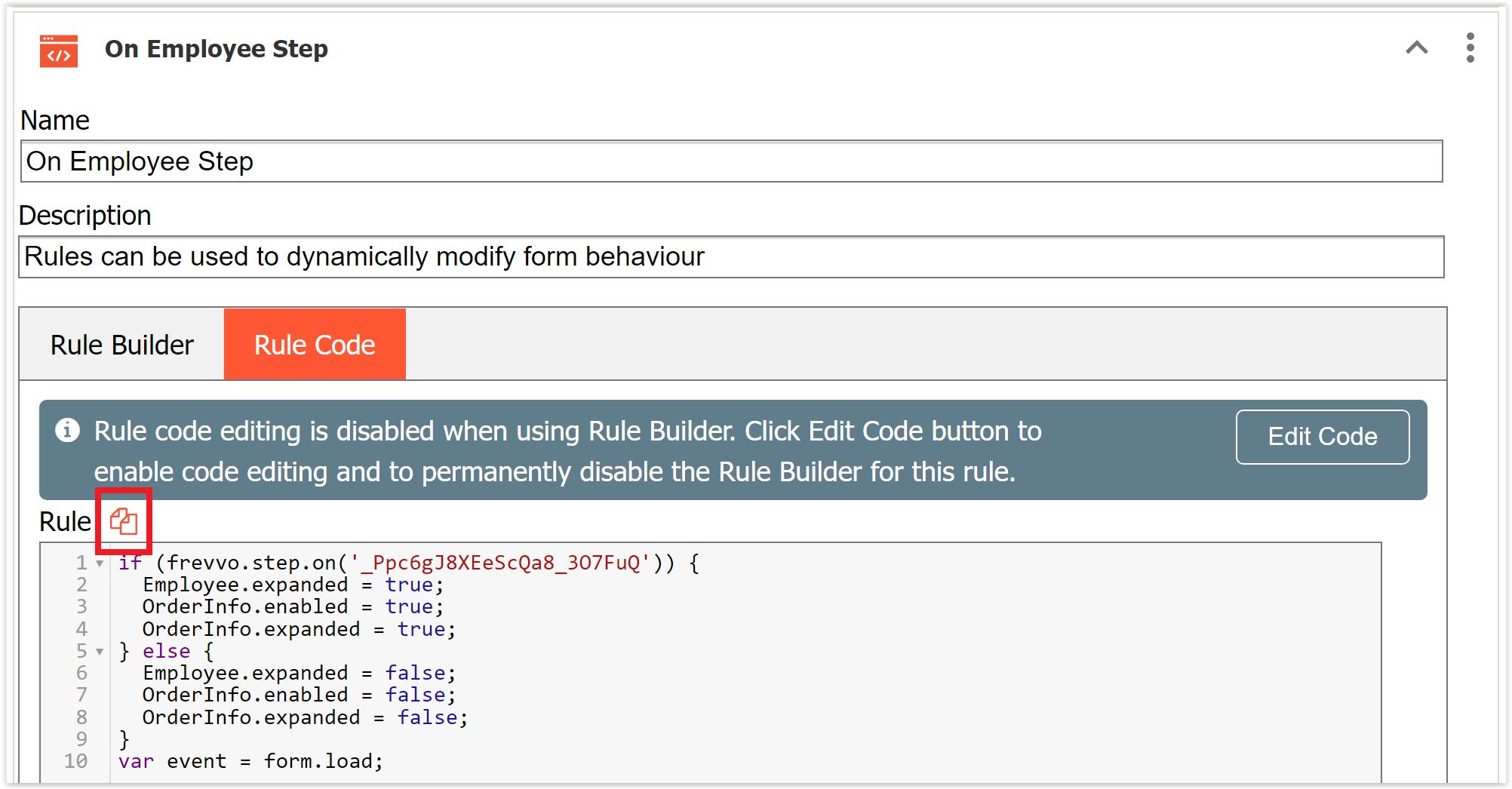
Designers may want to copy rules created with the Visual Rule Builder so they can be reused in the same, or another, form/workflow. To copy a rule's javascript code, click the Copy icon  on the “Rule Code” tab that appears in either Rule Builder mode (when javascript code is read-only) or Edit Code mode. This icon will copy all of the javascript to the clipboard. You can then create a new rule (in the same or another form/workflow), click Edit Code on the new rule, and paste the copied code there to replicate the rule. Then, edit as desired.
Multiple Conditions in a Rule
The Rule Builder allows you to create a rule that has more than one condition. You can write a rule that performs actions based on the values of more than one field. As you select conditions, a logic expression is built and displayed at the bottom of the screen. Notice the expression uses the AND operation by default. There may be business rules that require a change to the logic expression.
- The (AND operation) means that All of the specified conditions must be true before the actions set up in the Action Wizard are executed.
- Change the (AND operation(s)) to (OR operation(s)) if only one of the conditions needs to be true before the actions are executed.
- Group parts of the logic expression using parentheses if necessary.
A Travel Request workflow contains a field where the user selects a destination country from a dropdown. Countries that call their subdivisions "states" are: United States, Mexico, Australia, Brazil, India, Germany and Myanmar.
The business requirement for this rule is: If any of these countries are selected, a Destination State field is enabled so the user can enter the Destination state. Otherwise, the Destination State field is disabled.
The Condition wizard for the business rule is shown in the image. Note that each condition is assigned a color coded number that is reflected in the logic expression. The logic expression is built with the and operator by default. Since we want the rule to execute when any of the conditions are true, we must change all the and operations in the logic expression to the or operation.

Switching to the Rule Code Tab
Rules created with the Rule Builder are automatically converted to JavaScript and co-exist with existing JavaScript rules. Of course, you can still add JavaScript directly or edit the generated code to make manual changes to your rule once you have created it with the Rule Builder.
- Click the Rule Code tab then click on Edit Code tab to add/edit JavaScript.
Clicking the Edit Code button permanently disables the Rule Builder for this rule.
Examples
The Rule Examples chapter shows you how to use the Visual Rule Builder to create common rules for real world situations.
- The User Info, Numeric, Boolean and Date/Time functions, added to the Visual Rule Builder, are not available in the Precondition Rule Builder. Only the following operators are supported in precondition expressions:
- + (add and concat)
- -
- * (multiply)
- /